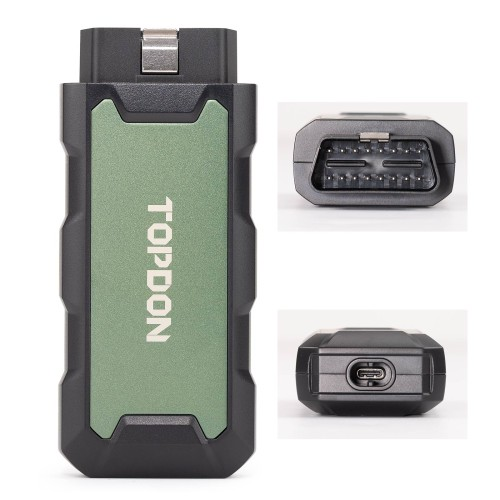
Topdon Rlink J2534 Pass-Thru Programmer OEM Reprogramming and Diagnostic Tool Supports J2534 D-PDU CAN-FD DoIP Compatible with 17+ Vehicle Brands
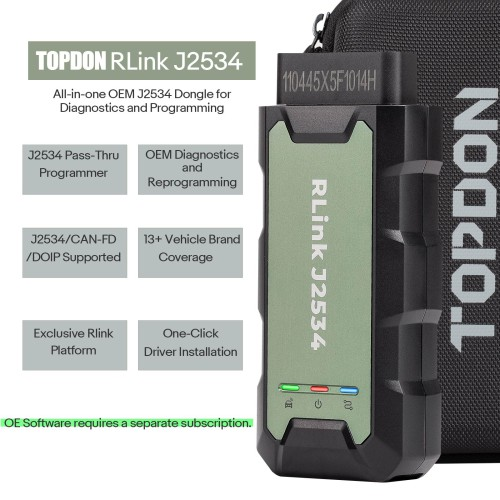
Please note: OE software is not included and requires a separate subscription.
Topdon Rlink J2534 Pass-Thru VCI
The RLink J2534 device fully supports all J2534 protocols, ensuring compatibility with OEM reprogramming and diagnostic functions. It integrates advanced D-PDU, CAN-FD, and DoIP protocols, making it suitable for more modern vehicles. Keep your repair shop equipped with the latest innovations to maintain your competitive advantage.
Comprehensive Brands Support
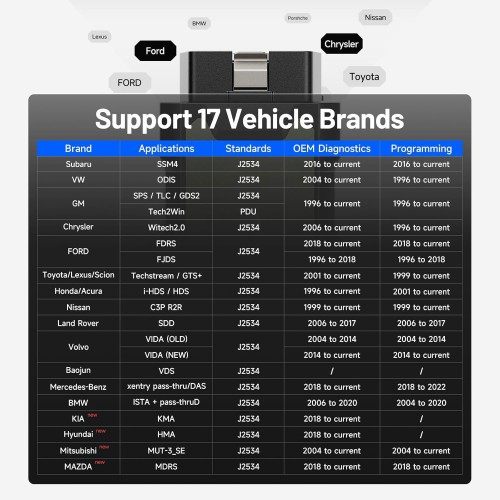
TOPDON RLink J2534 is an advanced diagnostic and reprogramming tool that supports all J2534 protocols, as well as D-PDU, CAN-FD and DoIP, ensuring compatibility with a wide range of modern vehicles. It offers extensive versatility with support for over 17 major automotive brands, including Chrysler, Ford, GM, Nissan, Toyota, Honda, Subaru, Land Rover/Jaguar, Volvo, Wuling, Volkswagen, Mercedes-Benz, and BMW, and so on, enjoy dealership-level functions at your fingertip.
RLink J2534 changes the game:
- Supports 17 major brands.
- RLink J2534 includes all software drivers.
- Seamlessly integration with OE software
- No more buying multiple devices
- No more plugging/unplugging different tools
- Lifetime Free Driver Updates & Local Tech Support
How to register Rlink J2534 and download driver?
Getting started with RLink J2534 is easier than you think.
Here’s the simple setup:
Step 1: Use a Windows PC or laptop, download and install the "RLink Platform" from TOPDON website.
Step 2: Register and log in to your TOPDON account.
Step 3: Activate the RLink J2534 after connecting it with the vehicle and computer.
Step 4: Subscribe to, download, and install the OE software from manufacturer's official website.
Step 5: Install the OE software drivers and set RLink as the communication interface.